
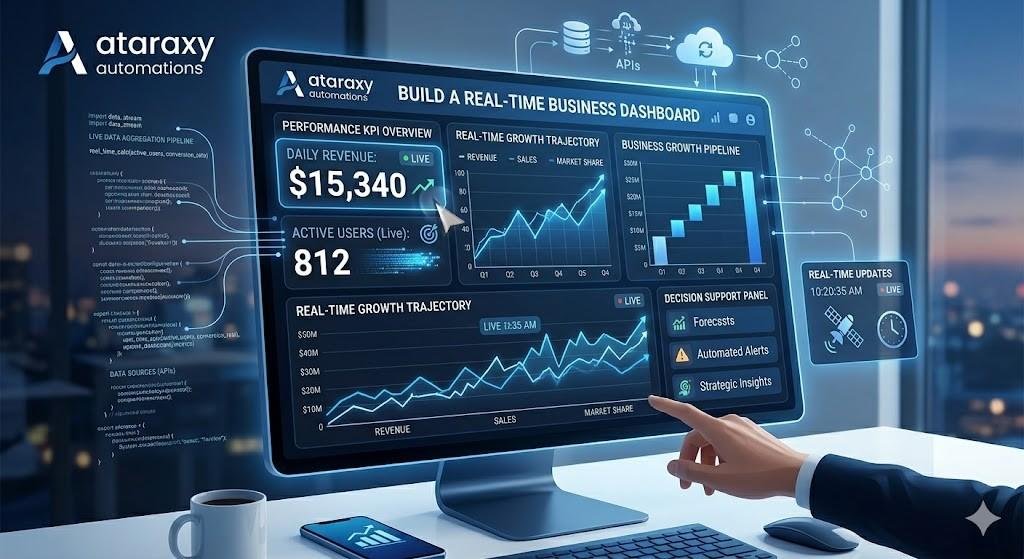
Build a Real-Time Business Dashboard
In today’s fast-paced business environment, having real-time insights into your performance is crucial. Whether you’re tracking sales, customer engagement, marketing campaigns, or operational efficiency, having a real-time business dashboard gives you the visibility you need to make quick, data-driven decisions. Instead of waiting for weekly or monthly reports, you can monitor key performance indicators (KPIs) as they happen and make adjustments in real-time.
A real-time business dashboard aggregates data from different sources and presents it in a visually appealing, interactive format. With automated updates, these dashboards allow businesses to track performance continuously, ensuring that leaders have the most up-to-date information available at all times.
In this guide, we’ll show you how to build a real-time business dashboard, the tools you need, and how this dashboard can help drive better decisions and business growth. If you need assistance with setting up a real-time dashboard, call us at +1 (662) 400‑6587, email us at AtaraxyAutomations@gmail.com, or visit our main shop page.
Why a Real-Time Business Dashboard is Essential
Business dashboards provide a consolidated view of your business performance across different metrics. However, a real-time dashboard goes a step further by offering continuous updates, which is crucial in today’s data-driven world. Here’s why you need one:
⏱️ Instant Access to Data
With a real-time business dashboard, you get immediate access to your performance metrics. Whether you’re monitoring sales data, marketing efforts, or customer support, you can see everything in real-time — no waiting for reports.
📊 Track Key Metrics Effectively
A real-time dashboard aggregates data from multiple sources and displays the most important metrics in one place. By customizing your dashboard to focus on KPIs, you can quickly track your business goals and performance.
🎯 Improve Decision-Making
Real-time data allows you to make decisions faster and more confidently. Whether you need to adjust your marketing strategy, customer support efforts, or sales tactics, real-time insights provide the data necessary to optimize and adapt in the moment.
💡 Spot Trends Early
With access to real-time analytics, you can identify trends before they escalate, giving you the power to make proactive decisions and avoid potential issues.
🚀 Enhance Collaboration
When everyone in your team or organization has access to the same real-time data, collaboration improves, and decisions can be made quickly and efficiently, without relying on manual updates or static reports.
Step 1: Define Your Business KPIs and Metrics
The first step in building a real-time business dashboard is to clearly define what you want to track. These should be Key Performance Indicators (KPIs) that align with your business goals and strategy.
Common KPIs for a Real-Time Business Dashboard:
- Sales Performance: Revenue, conversion rate, average order value (AOV), deals closed
- Marketing: Website traffic, lead generation, cost per acquisition (CPA), return on investment (ROI)
- Customer Service: Response times, ticket resolution rate, customer satisfaction score (CSAT), Net Promoter Score (NPS)
- Financial Metrics: Profit margins, expenses, cash flow, operating income
- Operations: Inventory levels, shipping times, employee productivity
Pro Tip:
Work with your team to identify the KPIs that matter most for your business. Tailor your dashboard to focus on these metrics to ensure that it provides the most value.
Step 2: Choose the Right Tools for Data Collection and Reporting
The next step is to select the tools that will help you collect and display your data in real time. The tools you choose should integrate with the platforms and systems you use for data collection, such as CRM, marketing automation, and financial systems.
Best Tools for Building a Real-Time Business Dashboard:
- Google Data Studio (Looker Studio): A free, customizable tool that allows you to create real-time dashboards by connecting to Google Analytics, Google Ads, Google Sheets, and other platforms.
- Power BI: A business intelligence tool that offers powerful data visualization capabilities, allowing you to create dynamic dashboards and real-time reporting.
- Tableau: Ideal for complex data visualization, Tableau lets you create interactive dashboards and monitor real-time performance.
- Databox: A tool that pulls data from multiple sources (CRM, Google Analytics, HubSpot, etc.) and provides customizable real-time dashboards for quick access to key metrics.
- Klipfolio: A cloud-based dashboard tool that offers real-time analytics with integrations to various business platforms, including marketing tools and CRM systems.
Why it works:
These tools make it easy to pull data from various sources and display it in a real-time, interactive format. You can monitor the most important metrics at any given moment and make better decisions based on the latest data.
Step 3: Integrate Your Data Sources
The next step is to integrate your data sources into your dashboard. To ensure your dashboard is pulling accurate, real-time data, you’ll need to connect it to your business systems, such as CRM, marketing tools, financial software, and analytics platforms.
Common Data Sources to Integrate:
- CRM Systems (e.g., Salesforce, HubSpot): Track sales performance, lead generation, and customer data.
- Google Analytics: Track website performance, traffic sources, and user behavior.
- Social Media Platforms: Monitor engagement, follower growth, and ad campaign performance.
- Email Marketing Platforms: Track open rates, click-through rates (CTR), and campaign performance.
- Financial Software (e.g., QuickBooks, Xero): Monitor profit margins, revenue, and expenses.
Why it works:
Integrating these systems ensures that your data is constantly updated in real time, providing a clear picture of your business performance. Automation makes this process seamless, reducing manual work.
Step 4: Design Your Real-Time Business Dashboard
The design of your real-time dashboard is crucial for ensuring that the data is easy to interpret and actionable. The dashboard should present data clearly, highlighting the most important KPIs and providing insights that help drive business decisions.
Best Practices for Designing a Real-Time Dashboard:
- Keep It Simple: Avoid cluttering the dashboard with too many metrics. Focus on the KPIs that matter most to your business goals.
- Use Visualizations: Use graphs, pie charts, bar charts, and tables to make the data easier to digest. Visualizations help your team and clients quickly understand performance.
- Real-Time Updates: Ensure that the data on your dashboard is updated in real time, so you can act on the latest insights.
- Customizable Views: Allow users to customize the dashboard to focus on specific KPIs or areas of interest.
Why it works:
An intuitive, well-designed dashboard enables decision-makers to quickly interpret the data and identify trends, helping businesses react faster and more effectively to performance changes.
Step 5: Automate Data Updates and Reporting
The core benefit of a real-time business dashboard is continuous, automatic data updates. Setting up your dashboard to automatically pull data ensures that you’re always working with the most up-to-date information.
How to Automate Data Updates:
- Google Data Studio: Automatically refresh data at set intervals, pulling new data from integrated sources like Google Analytics or Google Sheets.
- Power BI/Tableau: Set up automatic data refresh for dashboards and reports to update in real time.
- Databox: Automate the integration of marketing data, sales data, and more, with continuous updates to your dashboard.
- Zapier/Make: Automate data collection from multiple platforms and trigger automatic updates across your dashboard.
Why it works:
Automation ensures that your dashboard is always up-to-date, saving time and ensuring that you never have to manually refresh data or create reports.
Why Real-Time Business Dashboards Drive Growth
Here’s why real-time business dashboards are essential for business growth:
1. Timely Insights
With real-time data at your fingertips, you can make data-driven decisions quickly and confidently, without waiting for weekly or monthly reports.
2. Improved Decision-Making
By tracking performance in real time, you can identify trends, opportunities, and issues as they arise, allowing you to take immediate action.
3. Increased Transparency
Clients and stakeholders can access live data on demand, increasing trust and transparency in your performance metrics.
4. Scalability
As your business grows, real-time dashboards scale with you, allowing you to track more data points without adding more manual work.
Signs Your Business Needs a Real-Time Dashboard
You should consider building a real-time business dashboard if:
- You’re spending too much time on manual data reporting
- You want to access up-to-date data and insights at all times
- Your business is scaling, and your current reporting system isn’t keeping up
- You need a more visual, interactive way to interpret data
- You want to improve decision-making with timely insights
If any of these challenges sound familiar, it’s time to build a real-time business dashboard.
Why Choose Ataraxy Automations
At Ataraxy Automations, we specialize in helping businesses build custom real-time dashboards that provide actionable insights and drive business growth. Whether you need sales performance tracking, marketing campaign analysis, or financial monitoring, we can create a system that automates your data collection and reporting.
We help businesses:
- Build custom real-time dashboards that align with your goals
- Integrate data from multiple sources (CRM, Google Analytics, social media, etc.)
- Automate data updates and reporting processes
- Provide stakeholders with instant access to up-to-date insights
- Improve decision-making and drive business growth
To get started with your real-time business dashboard, call us at +1 (662) 400‑6587, email AtaraxyAutomations@gmail.com, or visit our Ataraxy Automations shop.
Final Thoughts
Building a real-time business dashboard is essential for tracking your business performance, improving decision-making, and driving growth. By automating data collection, analysis, and reporting, you can have real-time insights at your fingertips — empowering you to take timely actions that accelerate your business success.
Start building your real-time business dashboard today and unlock the power of continuous insights to drive growth. Visit our shop page, call +1 (662) 400‑6587, or email AtaraxyAutomations@gmail.com to get started.