
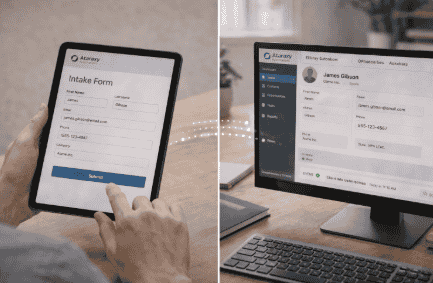
Automated Client Intake Forms + CRM Setup Guide
Client intake is the first real step in your customer journey.
If it is slow or manual, you lose time and potential clients.
Automation solves this problem.
With automated intake forms and a properly connected CRM, you can collect data, organize clients, and trigger workflows instantly.
With Ataraxy Automations, you can build a complete intake + CRM system that runs automatically. Call +1 (662) 400-6587 or email AtaraxyAutomations@gmail.com to get started.
What Are Automated Client Intake Forms?
Automated intake forms collect client information without manual effort.
They allow clients to:
- Submit details online
- Share requirements
- Provide documents
- Start onboarding instantly
All data goes directly into your CRM.
What Is a CRM System?
A CRM (Customer Relationship Management) system stores and manages:
- Client data
- Communication history
- Deals and pipelines
- Tasks and follow-ups
It acts as the brain of your business operations.
Why Combine Intake Forms + CRM?
When combined, they create a powerful system that:
- Eliminates manual data entry
- Reduces errors
- Speeds up onboarding
- Improves organization
This is how modern businesses operate.
You can set up your system using tools available at https://ataraxyautomations.com/shop/.
Step 1: Create Smart Intake Forms
Your intake form should collect only what you need:
- Name and contact details
- Service requirements
- Budget or timeline
- Additional notes
Keep it simple and user-friendly.
For help designing optimized forms, call +1 (662) 400-6587 or email AtaraxyAutomations@gmail.com today.
Step 2: Connect Forms to Your CRM
Once a client submits a form:
- Data is automatically stored
- A new contact is created
- The client enters your pipeline
No manual input required.
Step 3: Automate Responses
Immediately after submission, your system should send:
- Confirmation email
- Welcome message
- Next steps
This keeps clients engaged from the start.
Step 4: Build Automated Workflows
Trigger actions based on client data:
- Assign tasks
- Send follow-ups
- Schedule meetings
Automation ensures nothing is missed.
Explore workflow tools at https://ataraxyautomations.com/shop/.
Step 5: Organize Your CRM Pipeline
Structure your CRM stages such as:
- New Lead
- Intake Completed
- Onboarding
- Active Client
This helps you track progress easily.
Step 6: Add Follow-Up Sequences
Not every client responds immediately.
Set up automated follow-ups to:
- Remind clients
- Provide updates
- Encourage action
Consistency increases conversions.
For a full setup, call +1 (662) 400-6587 or email AtaraxyAutomations@gmail.com now.
Step 7: Monitor and Optimize
Track performance metrics like:
- Form completion rate
- Response time
- Conversion rate
Use this data to improve your system.
Why Choose Ataraxy Automations
Setting up intake + CRM systems can be complex.
Ataraxy Automations makes it simple.
We help you:
- Build smart intake forms
- Integrate CRM systems
- Automate workflows
- Save time and effort
Stop managing clients manually. Call +1 (662) 400-6587 or email AtaraxyAutomations@gmail.com today.
Real Results You Can Expect
Businesses using automated intake + CRM systems see:
- Faster onboarding
- Better organization
- Higher conversion rates
- Reduced workload
Automation gives you a competitive advantage.
Get Started Today
You can either:
- Set everything up yourself
- Use multiple tools
- Or let experts handle it
The fastest way is to work with professionals.
Visit https://ataraxyautomations.com/shop/ to explore solutions.
Call +1 (662) 400-6587 or email AtaraxyAutomations@gmail.com to get started today.
Final Thoughts
Client intake is the foundation of your business.
When automated and connected to a CRM, it becomes a powerful system that saves time and drives growth.
With Ataraxy Automations, you can build a smart, efficient, and scalable intake process. Call +1 (662) 400-6587 or email AtaraxyAutomations@gmail.com today.